 XScanner
Scan documents, books, receipts and ID cards into crisp PDFs. Copy text with offline OCR, sign and stamp, compress to an exact size – with no watermarks.
Screenshots
See XScanner in action
Why XScanner
From paper to a clean, searchable PDF in seconds
Bills, forms, ID cards, class notes and book pages pile up fast. XScanner turns them into clean digital documents: it finds the page, straightens and cleans it, reads the text, and saves a PDF you can sign, compress, merge or share. Core scanning, offline OCR and PDF tools work without an account or internet. Built for students, teachers, offices, small businesses and everyone who works with paper.
Smart document scanning
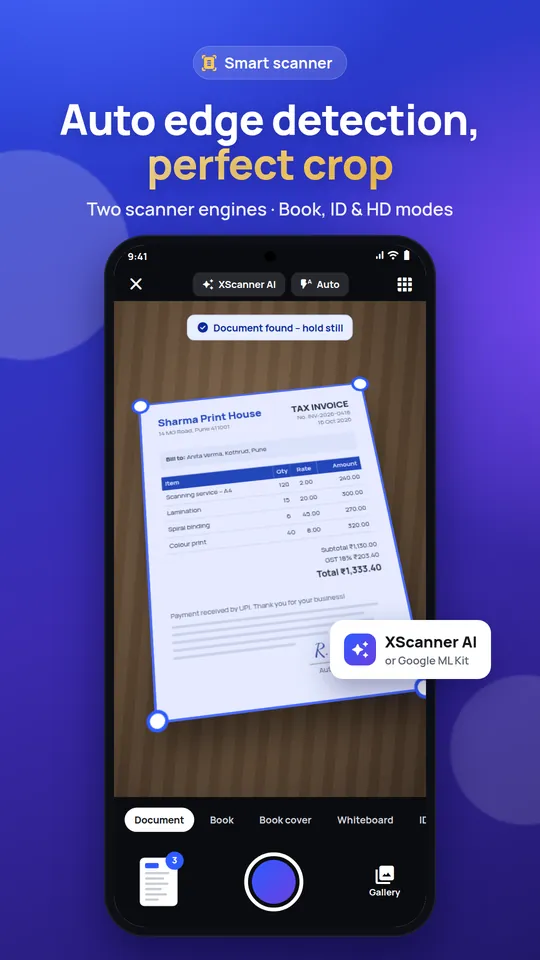
Automatic edge detection, perspective correction and HD scans.
- Automatic edge detection and auto capture.
- Perspective correction straightens angled photos.
- HD mode for small print and fine detail.
Filters & shadow removal
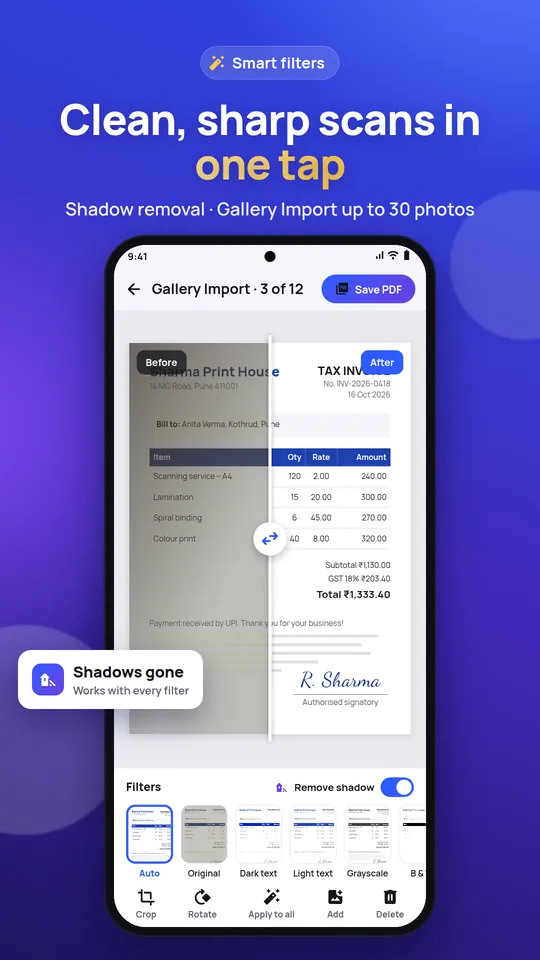
Remove shadows and glare and make text sharp in one tap.
- Auto filter picks the best look for each page.
- Colour, grayscale, black & white and contrast filters.
- Shadow removal that works with every filter.
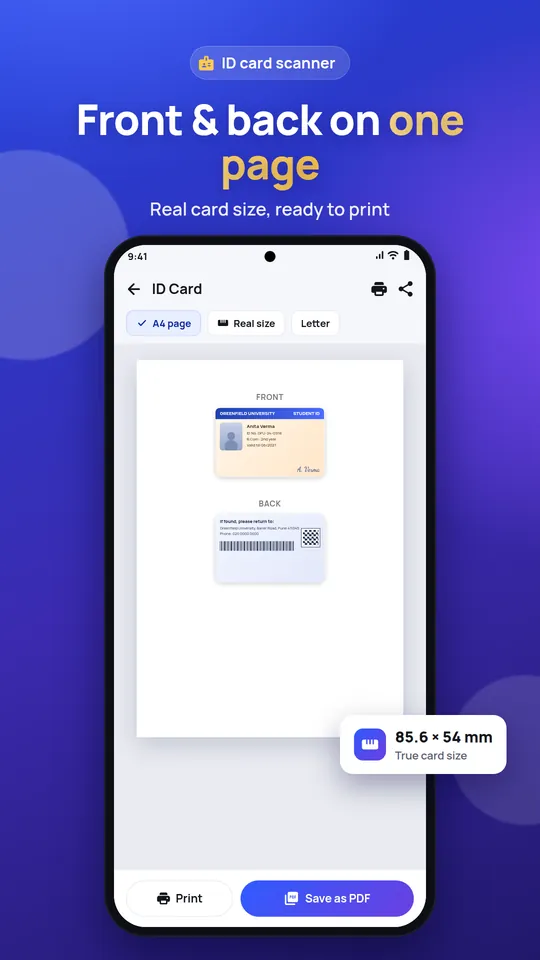
ID card scanner
Front and back of an ID card on one A4 page, at real card size.
- Works for Aadhaar, PAN, voter ID, driving licence, passport and student or office ID cards.
- Front and back on one page, in the right order.
- Real card size for photocopy-quality printouts.
Book scanner
Scan an open book and get the left and right pages separately.
- Finds the fold and splits the two pages automatically.
- Each page is cropped and turned upright on its own.
- Book cover mode for single covers.
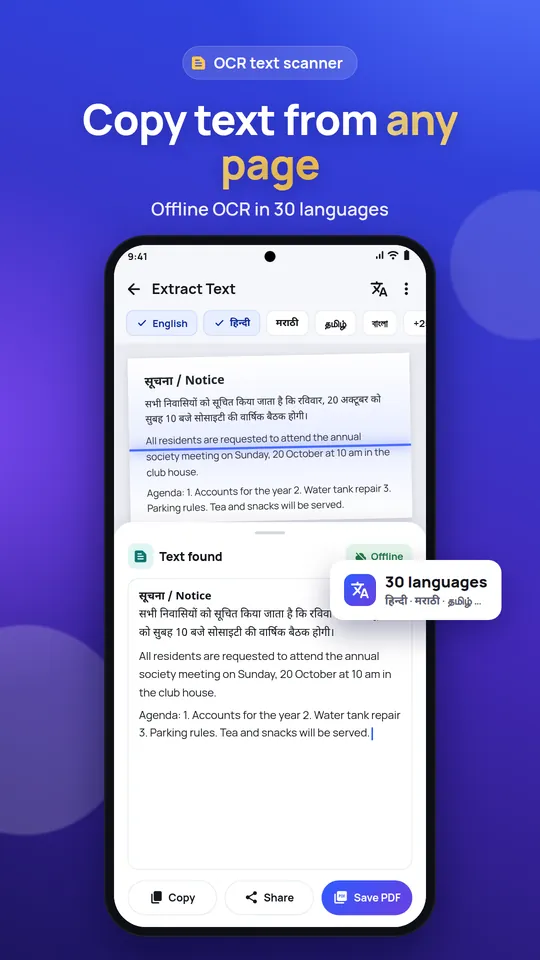
OCR: copy text from any page
Offline text recognition in 30 languages, including Hindi.
- Printed text recognition that works offline.
- 30 languages, including Hindi, Marathi, Tamil, Bengali and English.
- Copy, share or save the text as a PDF.
AI handwriting to text
Turn handwritten notes into digital text with AI.
- Digitise handwritten notes and assignments.
- Edit the text and save it as a PDF or note.
- Optional – your other scans stay on your phone.
Gallery photos to PDF
Turn up to 30 photos from your gallery into a clean PDF.
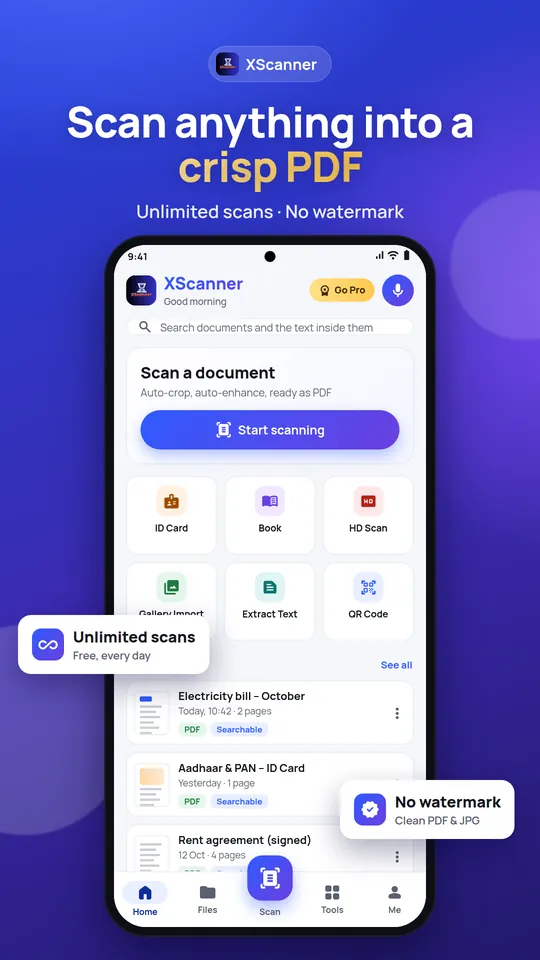
- Up to 30 photos at a time, in the order you choose.
- Auto crop, filters and shadow removal on every page.
- Reorder, rotate or delete pages before saving.
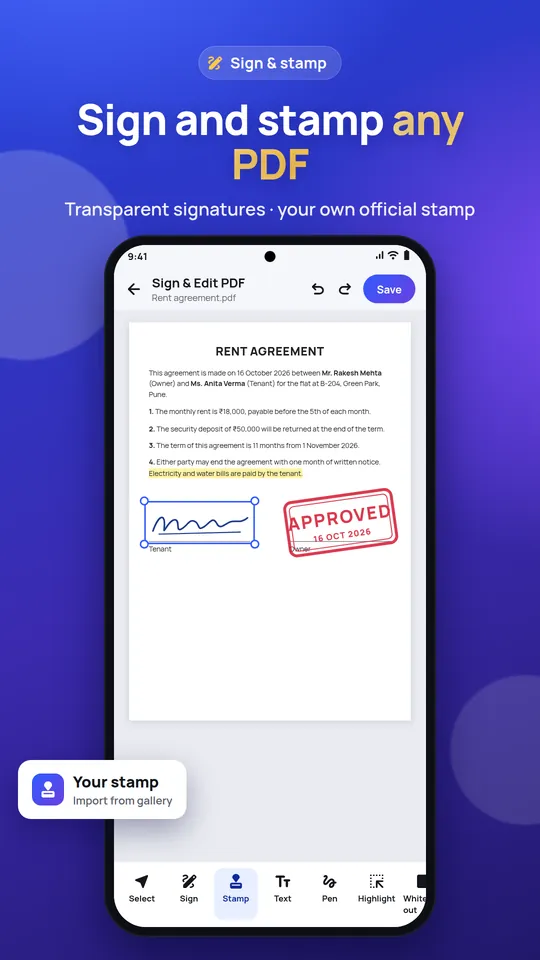
Sign & stamp PDFs
Sign agreements and forms, and add your own office stamp.
- Draw or import your signature; saved for quick reuse.
- Your own stamp from a photo, with a transparent background.
- Add text, highlights and boxes to any PDF.
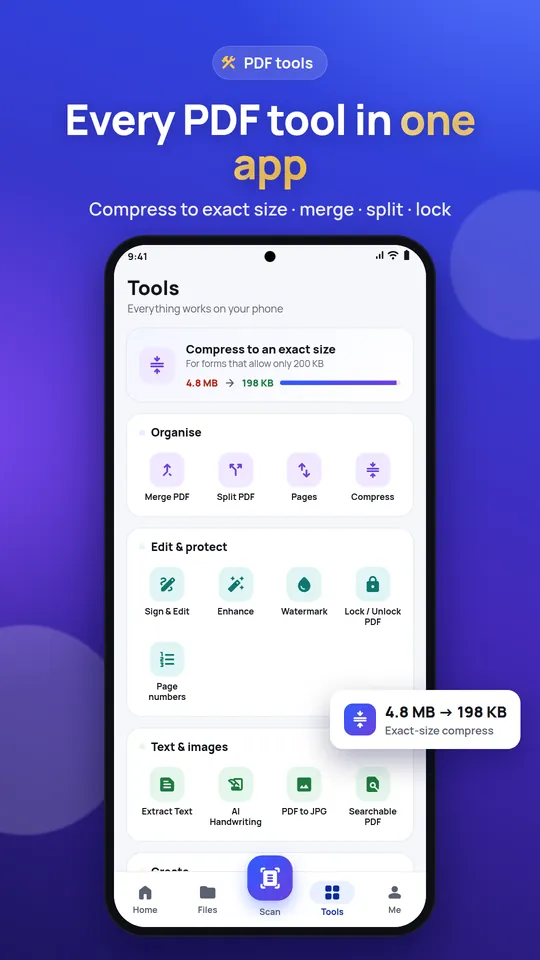
PDF toolkit
Compress to an exact size, merge, split, reorder, lock and more.
- Compress a PDF to an exact size (for example 200 KB) for online forms.
- Merge several PDFs into one, or split a PDF into parts.
- Reorder, rotate and delete pages; add page numbers.
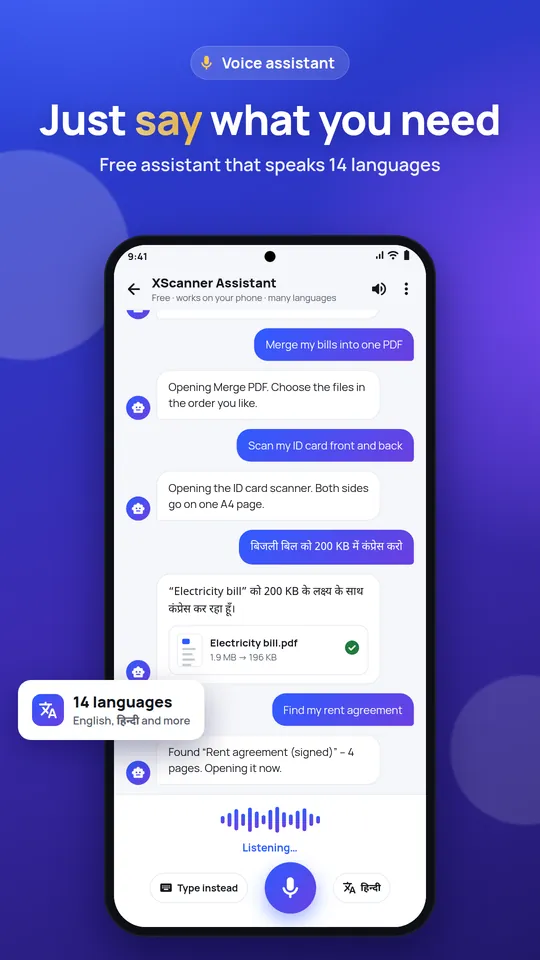
Voice assistant
Say “compress my last scan to 200 KB” – in Hindi, English or 12 more languages.
- Understands English, Hinglish, Hindi, Marathi, Bengali, Gujarati, Punjabi, Tamil, Telugu, Kannada, Malayalam, Urdu, French and Spanish.
- Finds documents by name or by the text inside them.
- Answers questions about using the app.
Google Drive backup (optional)
Optional backup to its own private folder in your Drive.
- Back up only when you want to, or stay fully offline.
- Restricted access: only the app’s own folder.
- Your Premium follows your account to a new phone.
Privacy first
Your phone, your data
Read exactly what we collect, and what we never collect, in our Privacy Policy.
- No watermarks on your scans or PDFs.
- Scanning, offline OCR and PDF tools run 100% on your phone.
- No account needed for core features.
- Google Drive backup and AI handwriting are optional; data is sent encrypted.
- Drive access is limited to XScanner’s own folder.
Is XScanner free?
Yes. XScanner is free to download on Google Play. Premium removes ads and unlocks unlimited HD scans and more AI handwriting pages.
Does XScanner add a watermark to my PDFs?
No. All PDFs and images exported from XScanner are clean, with no watermark or branding.
Does XScanner work without internet?
Yes. Scanning, edge detection, filters, printed-text OCR and all PDF tools work offline without signing in. Only AI handwriting recognition and Google Drive backup need the internet.
Can XScanner scan both sides of my Aadhaar or PAN card on one page?
Yes. The ID card scanner captures the front and the back and places both on one A4 page at real card size.
How do I compress a PDF to 200 KB for an online form?
Open Compress PDF, choose the exact-size option and enter the size the portal allows, for example 200 KB. You can also just tell the assistant: “compress my last scan to 200 KB”.
Which languages can the OCR read?
Printed-text OCR works offline in 30 languages, including English, Hindi, Marathi, Tamil, Telugu, Bengali and Gujarati. Each language downloads once, then works offline.
Can XScanner read handwriting?
Yes. Optional AI handwriting recognition turns handwritten notes into editable text. It only processes the pages you choose and needs an internet connection.
Can XScanner access all the files in my Google Drive?
No. XScanner uses restricted, app-specific access and only manages its own folder named XScanner files.
Can I sign a PDF and add my office stamp?
Yes. Draw or import your signature and import your stamp from a photo; XScanner removes the paper background so it looks clean on the page.
Who makes XScanner?
XScanner is made in India by RS APPS STUDIO. The package name on Google Play is com.rskusum.xscanner.
Get XScanner free
Free on Google Play. Android.
Free for everyone
Free online tools from RS APPS STUDIO
No app to install. Open them in any browser on your phone or computer.

RS PDF Toolkit
Free onlineFree, private PDF tools in your browser: merge, compress, edit, sign, convert.
- Merge, split and compress PDFs
- Edit, sign and convert PDFs
- Private: your files are worked on in your browser
- Free, no sign-up
RS Image Studio
Free onlineFree online image studio: edit, resize, compress and convert photos in your browser.
- Works in any browser, on phone or computer: nothing to install
- Edit, crop, resize and compress photos
- Convert between JPG, PNG and WebP
- Free, made by RS APPS STUDIO

From the developer
XScanner is made by RS APPS STUDIO
RS APPS STUDIO builds Android apps and web tools that solve everyday problems simply: caller ID and spam protection, document scanning, PDF tools, speaker cleaning, health tracking and more. Our apps are built privacy first: as much as possible runs on your device, and we never sell your data.
More from RS APPS STUDIO
Other apps and tools you may like

WhoCaller
On Google PlayCaller ID, spam blocker, smart dialer and free HD video calls.
Learn more →
HydroSonic
On Google PlaySpeaker cleaner: push water and dust out of your phone speaker with sound.
Learn more →RS PDF Toolkit
Free onlineFree, private PDF tools in your browser: merge, compress, edit, sign, convert.
Learn more →RS Image Studio
Free onlineFree online image studio: edit, resize, compress and convert photos in your browser.
Learn more →
EMI Calculator
On Google PlayLoan EMI with prepayment, SIP, income tax & GST calculators, PDF reports and Riva – in English and Hindi.
Learn more →
TryFit
Coming soonHealth manager: activity, nutrition, water, sleep and goals in one place.
Learn more →